Med CPD – Offers Board Guide
November 16, 2026
How to Find and Access Offers & Opportunities on Med CPD
Med CPD members can access a range of partner offers, benefits and opportunities through the Offers & Opportunities board.
Whether you’re looking for member discounts, professional development services or other opportunities, the board makes it easy to explore what’s available in one convenient place.
Follow the simple steps below to get started.
Step 1: Log in to your Med CPD account
Visit Med CPD and log in using your registered account details.
Once logged in, you’ll arrive at your Home dashboard.
Step 2: Find the Offers & Opportunities board
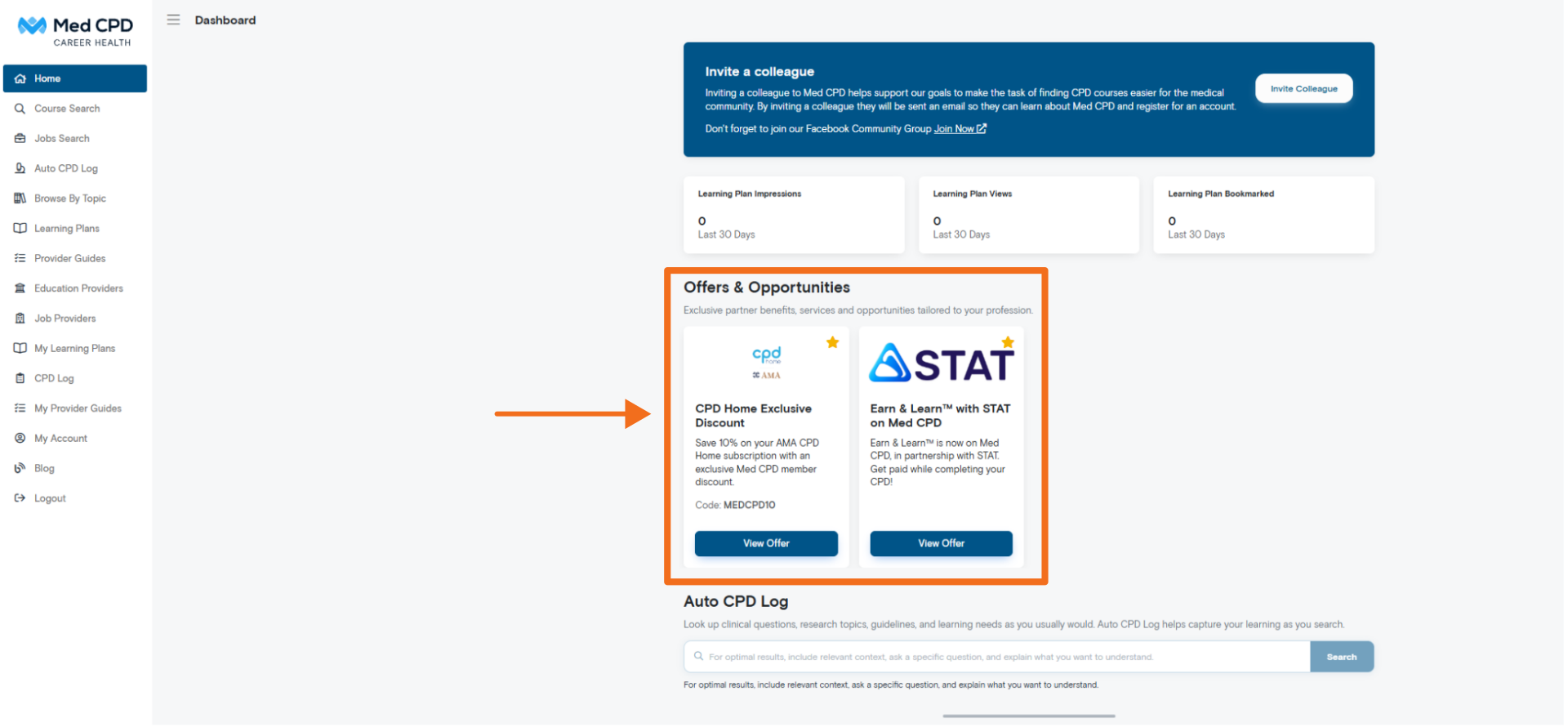
The Offers & Opportunities board is displayed on your Home dashboard.
Scroll down to the Offers & Opportunities section to browse the available partner offers.
Step 3: View an offer
Found something that interests you?
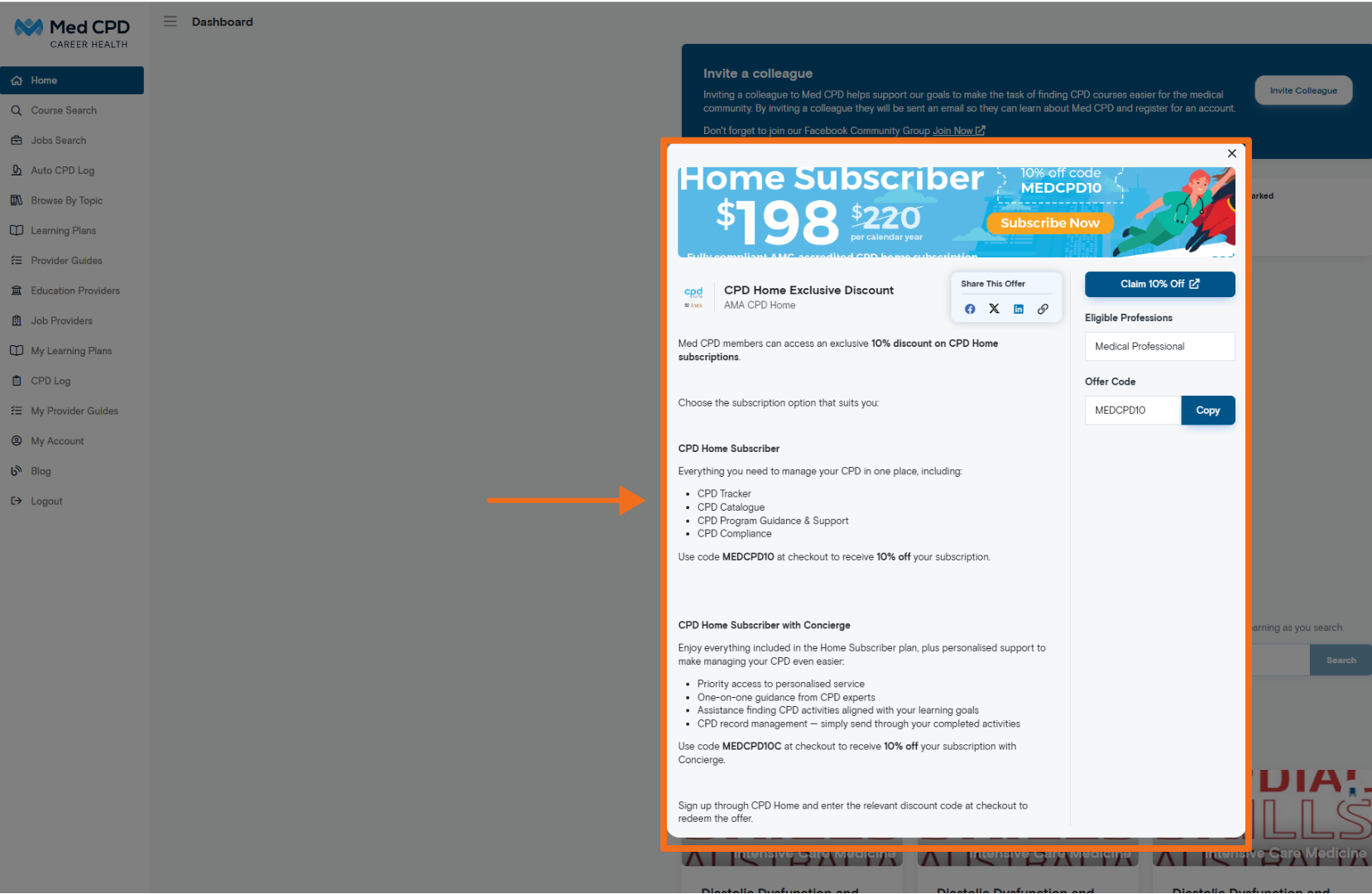
Select View Offer on the offer card to open its details.
The offer information will appear in a pop-up window, where you can find out more about the benefit, including:
– What the offer includes.
– Eligible professions.
– Any applicable offer codes.
– Instructions for accessing or claiming the offer.
Step 4: Follow the instructions to access the offer
Once you’ve reviewed the offer details, follow the instructions provided to access or claim the benefit.
Some offers may require you to use a specific discount code or visit a partner’s website. Be sure to check the details and any conditions before proceeding.
Explore what’s available
We’re continuing to bring new offers and opportunities to Med CPD to help support our members.
Log in to your account and visit the Offers & Opportunities board on your Home dashboard to see what’s available.
Have a question? If you need assistance accessing an offer, please contact the Med CPD team.
support@medcpd.com
Share to: